A little guidance for your wedding vision
You have found a venue you love. Now you want to see how your wedding ideas could look inside it.
That is where an AI wedding venue visualizer can help. It uses a photo of your ceremony or reception space to create a decorated concept, giving you something more specific to consider than another beautiful wedding photo.
If you are searching for the best AI wedding venue visualizer, start with the decision you want help making. Perhaps you are choosing between airy garden flowers and a more formal look. Maybe you love a color palette but cannot picture it against your venue’s walls and flooring. The right tool should help you explore that question and leave you with a clearer idea of what you want.
This guide from WeddingDecor.com explains how the different types of wedding design tools fit together, what to look for and how to evaluate a concept using your own venue.
The quick version
Choose a tool that starts with your venue photo and helps you answer a decorating question. Look at the whole room, compare the result with your original photo, and save the details you want to discuss with your florist or decorator.
In WeddingDecor.com Design Studio, inspiration images and style selection are optional. Your first venue design is free with an account.
What does an AI wedding venue visualizer do?
A venue-photo visualizer creates an AI design concept using an image of your real space as its starting point. Your chosen style, colors or reference images can guide the decoration, depending on the tool.
You might explore an arch in your ceremony area or see how a linen color could feel across the reception. The useful part is the relationship between the decor and the setting: the flowers that looked perfect in a close-up may feel quite different beneath your venue’s high ceiling.
A good starting question: “What would help me feel more confident about this room?”
Choose a question you can answer by looking at a concept. That gives your first design a purpose.
“Will this much color work in our room?”
A chair or napkin can look beautiful on its own. Seeing a color repeated through the room helps you decide how prominent you want it to be. In this barn example, look at how the burgundy chairs sit against the white walls and pale table linens.

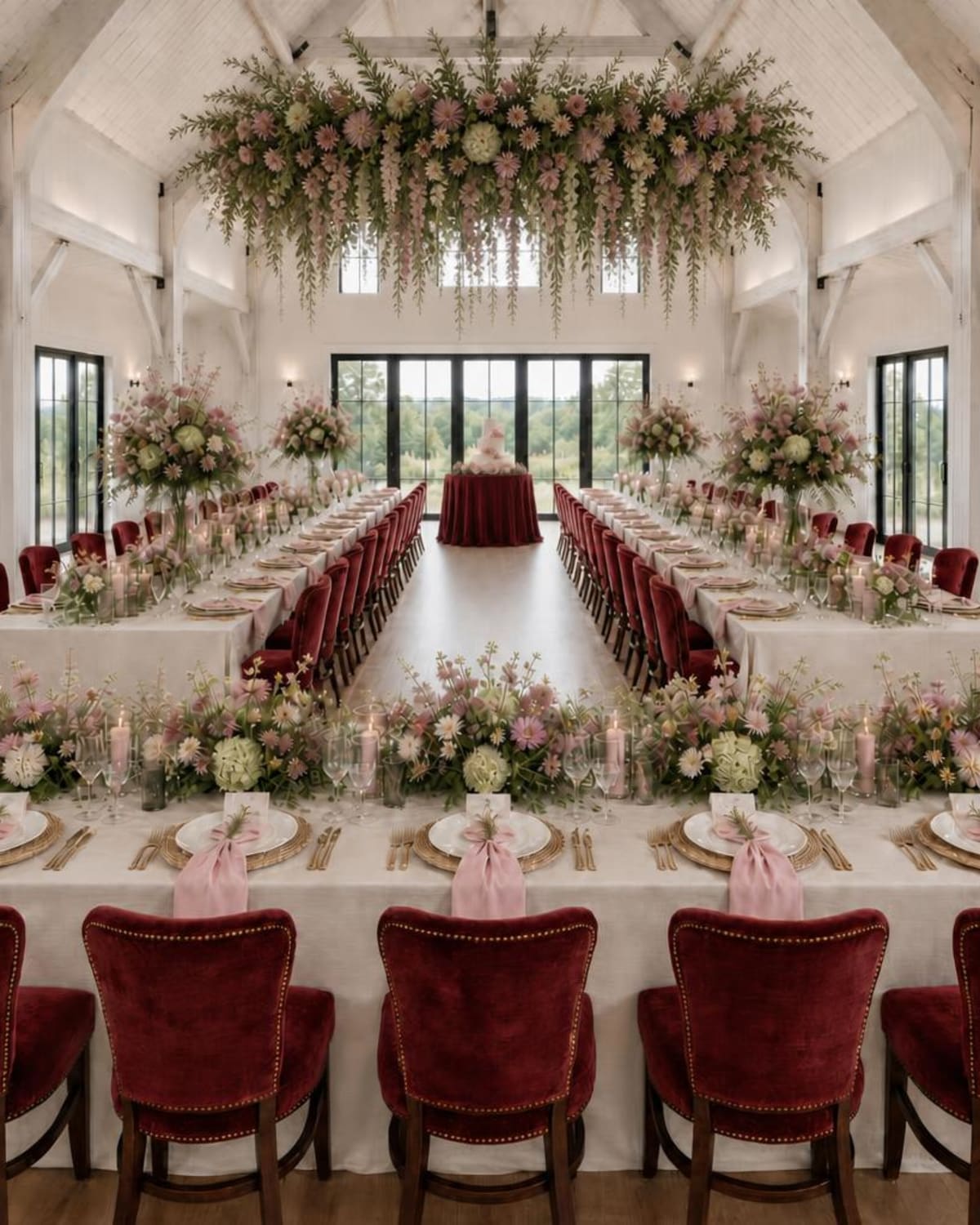
What this helps you decide: where you want the color to lead. You might love the richer chairs, or prefer to bring burgundy into smaller details. Take that preference to your decorator before selecting rentals.
AI wedding decor tools: which type do you need?
Wedding design tools help with different stages of planning. Before comparing features, decide whether you need help finding a direction, seeing it in your venue or working out the physical layout.
| Type of tool | What it helps you do | Choose it when… |
|---|---|---|
| Wedding color palette creator | Explore coordinating colors and save a reference for your design. | You have a favorite shade or need help choosing your combination. |
| Wedding mood board creator | Bring the overall feeling of your wedding into one visual direction. | You are exploring your style or bringing several ideas together. |
| AI venue-photo visualizer | Preview a decor concept using a photograph of your actual space. | You want to see how your ideas could feel in your ceremony or reception venue. |
| Floor-plan or seating tool | Arrange tables and guest positions; features and measurement support vary. | You need to work through room layout or seating with your venue. |
| General AI image generator | Create imagined scenes or edit photographs, depending on its capabilities. | You want open-ended inspiration and are comfortable giving detailed instructions. |
You may use more than one. Start with the Wedding Color Palette Creator if colors are your main question. A wedding mood board can help you explore the feeling you love. Once you want to see your ideas in the room, move into venue visualization.
What to look for in a wedding venue visualizer
It starts with the space you are planning around
Look for a workflow that accepts your own venue photo. When you review a result, compare it with the original: can you still recognize the room and its important features? If the concept changes the architecture or proportions too much, it becomes harder to judge your actual decor decision.
It lets you start before every detail is settled
You may have a folder of floral references, or you may only know that you want the room to feel relaxed and romantic. Check which inputs are required. A flexible starting point is helpful when you want to discover your preferences through the designs themselves.
You can explore a style and bring your own ideas
A style choice can give you a direction. Inspiration images can help communicate a particular flower shape or table setting. Consider whether you want either option, and whether you can guide the colors. You should feel comfortable starting with what you already know.
You can compare the decisions that matter
Look at how additional designs and revisions work. Can you explore a different floral direction or compare lighter linens with a richer color? Check whether each version uses a credit and whether your preferred designs remain available to download.
The result is easy to discuss with your vendors
A downloadable image gives your florist or decorator a shared reference. It is even more useful when you can explain which parts you love and which you are open to changing. Look for a tool that makes saving and sharing your preferred concept straightforward.
The free offer and payment terms are clear
Before paying, check what the trial includes, what counts as a design or revision, and whether payment is a one-time purchase or a subscription. Read any access or credit-expiry terms. The most useful comparison is what you can accomplish with the offer.
See how your decorating choices change the space
The useful question is often quite specific. Here are two more Studio examples, each with a decision you can explore in your own venue.
“Does our ceremony need a bigger focal point?”
An arch close-up cannot show how the flowers relate to the space around your ceremony. This garden example lets you consider the gazebo and the approach together. Notice where the floral decoration draws your attention and how much of the setting remains visible.
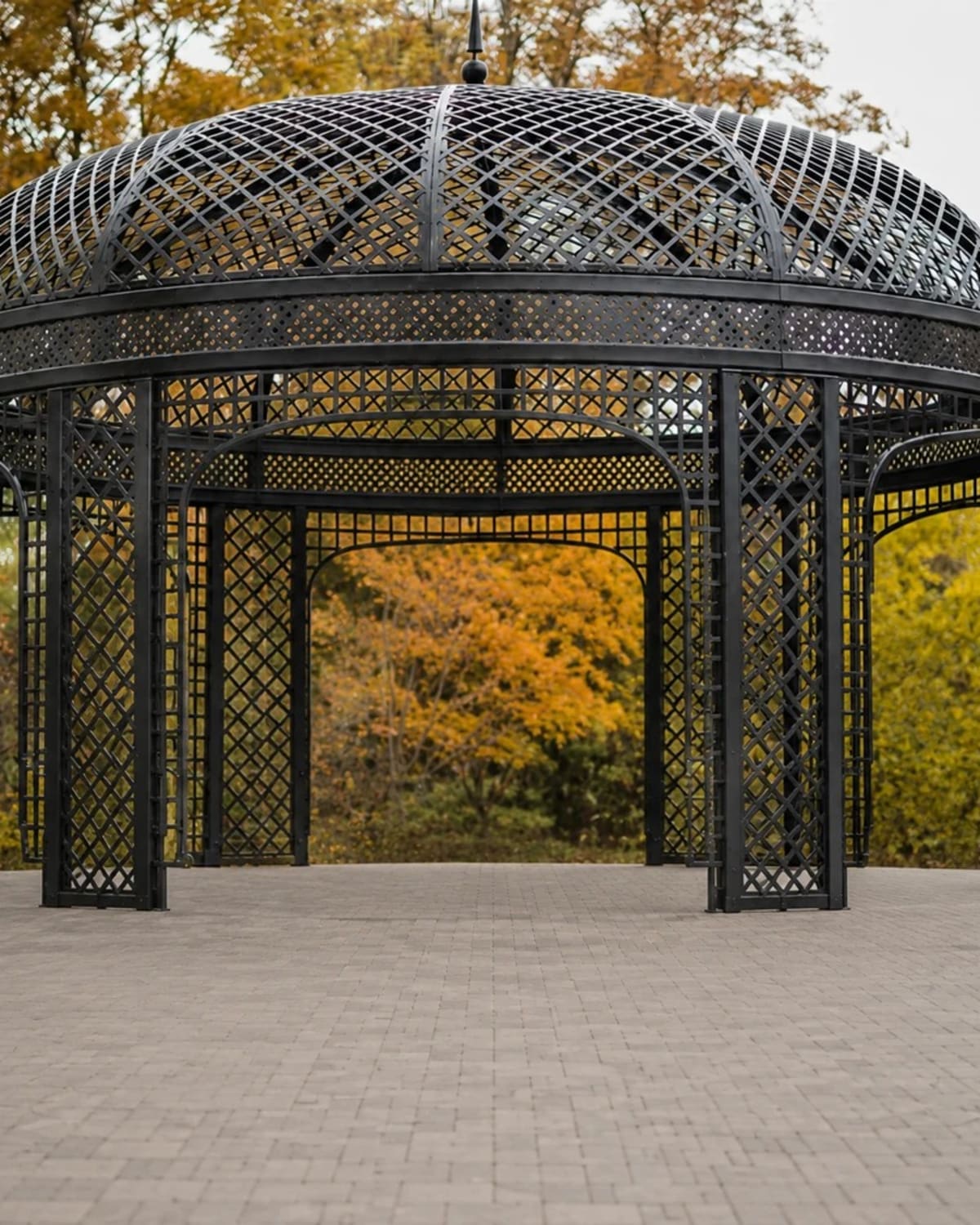
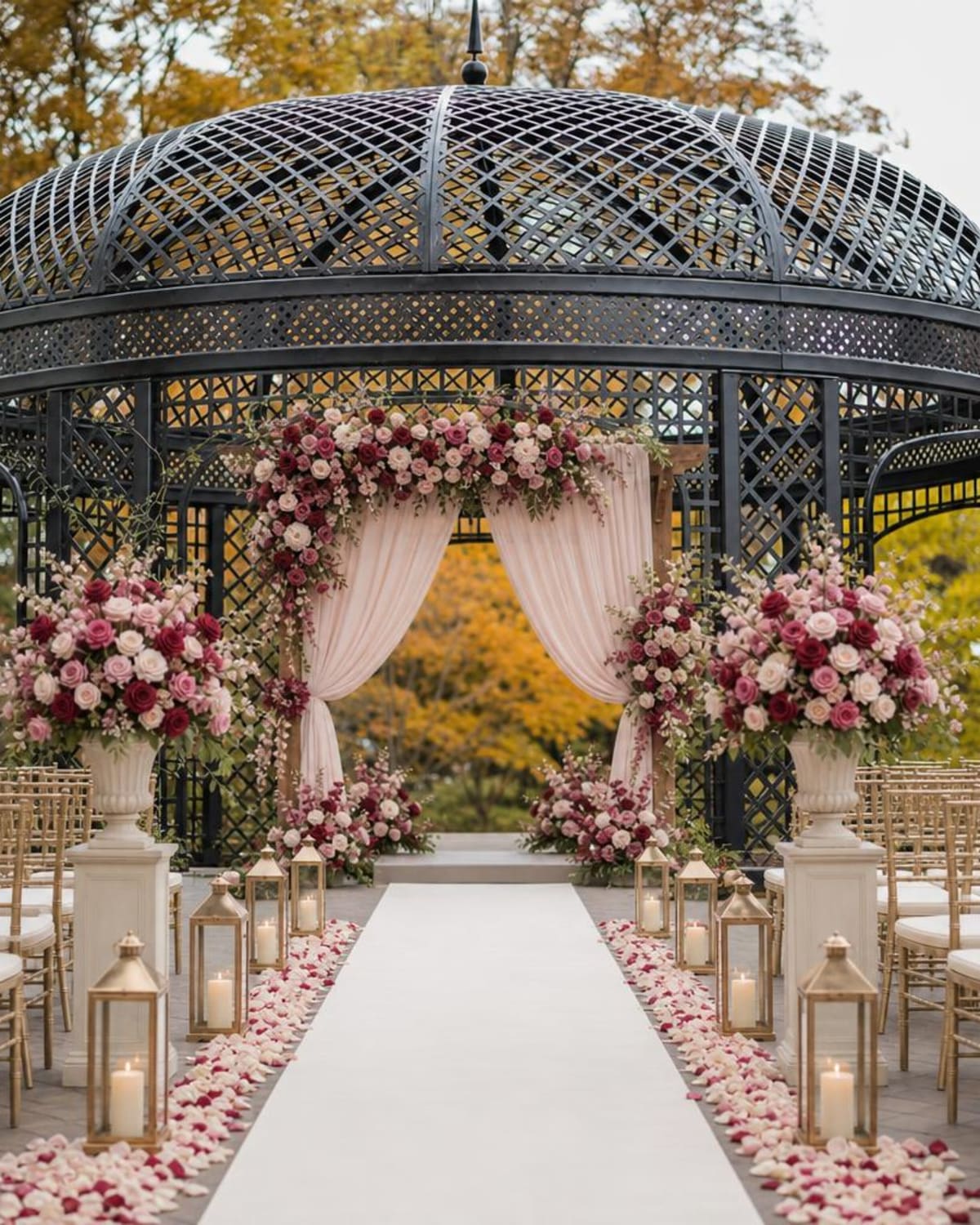
What this helps you discuss: whether to concentrate flowers around the ceremony structure or along the approach. Share the parts you love with your florist and ask how they would adapt them to your venue.
“How will all our reception details look together?”
You may have chosen a linen color and saved a centerpiece photo without seeing them together in your room. A full reception concept helps you judge the balance between the tables and the surrounding architecture. In this glasshouse example, notice how the blue linens change the overall feeling.
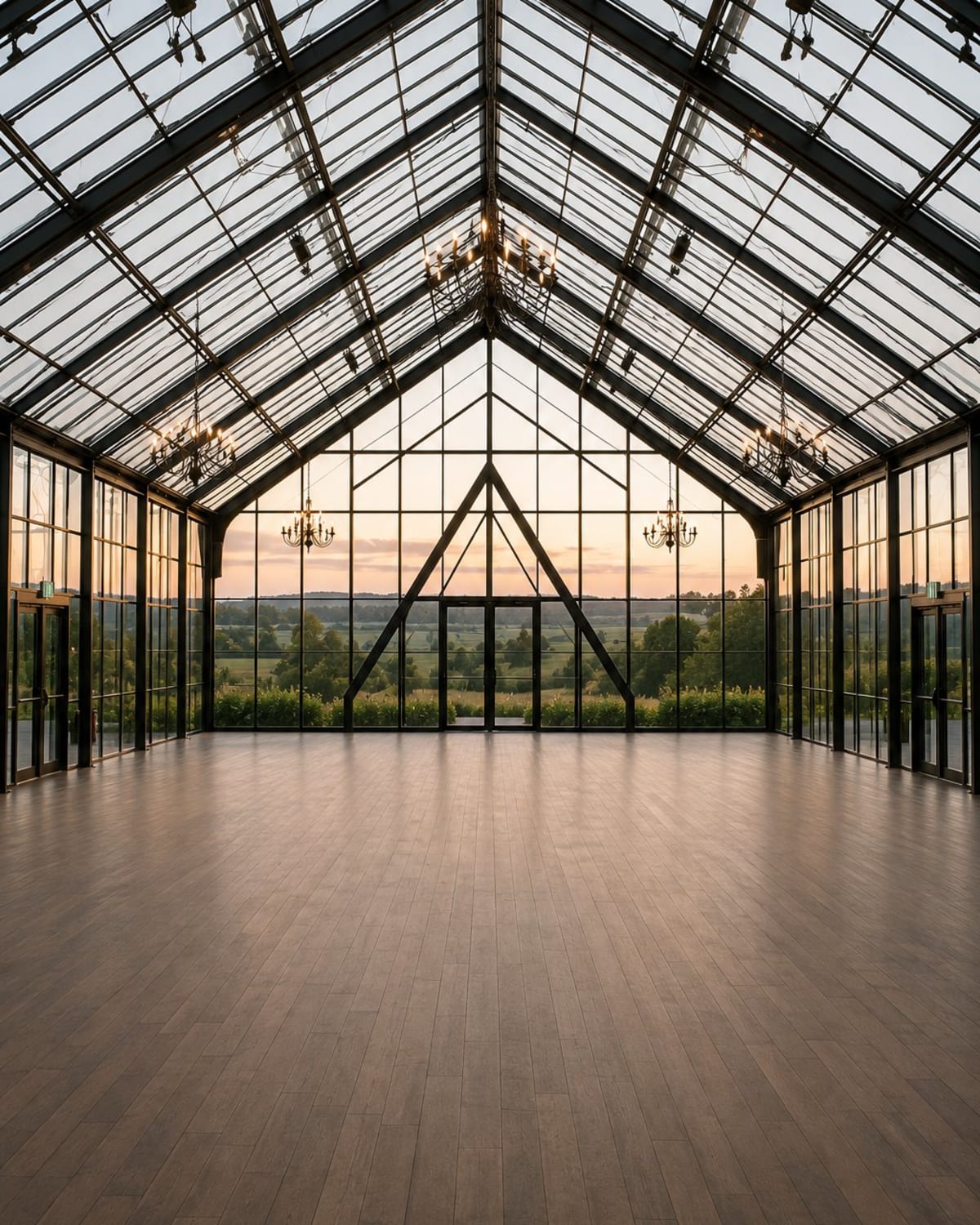
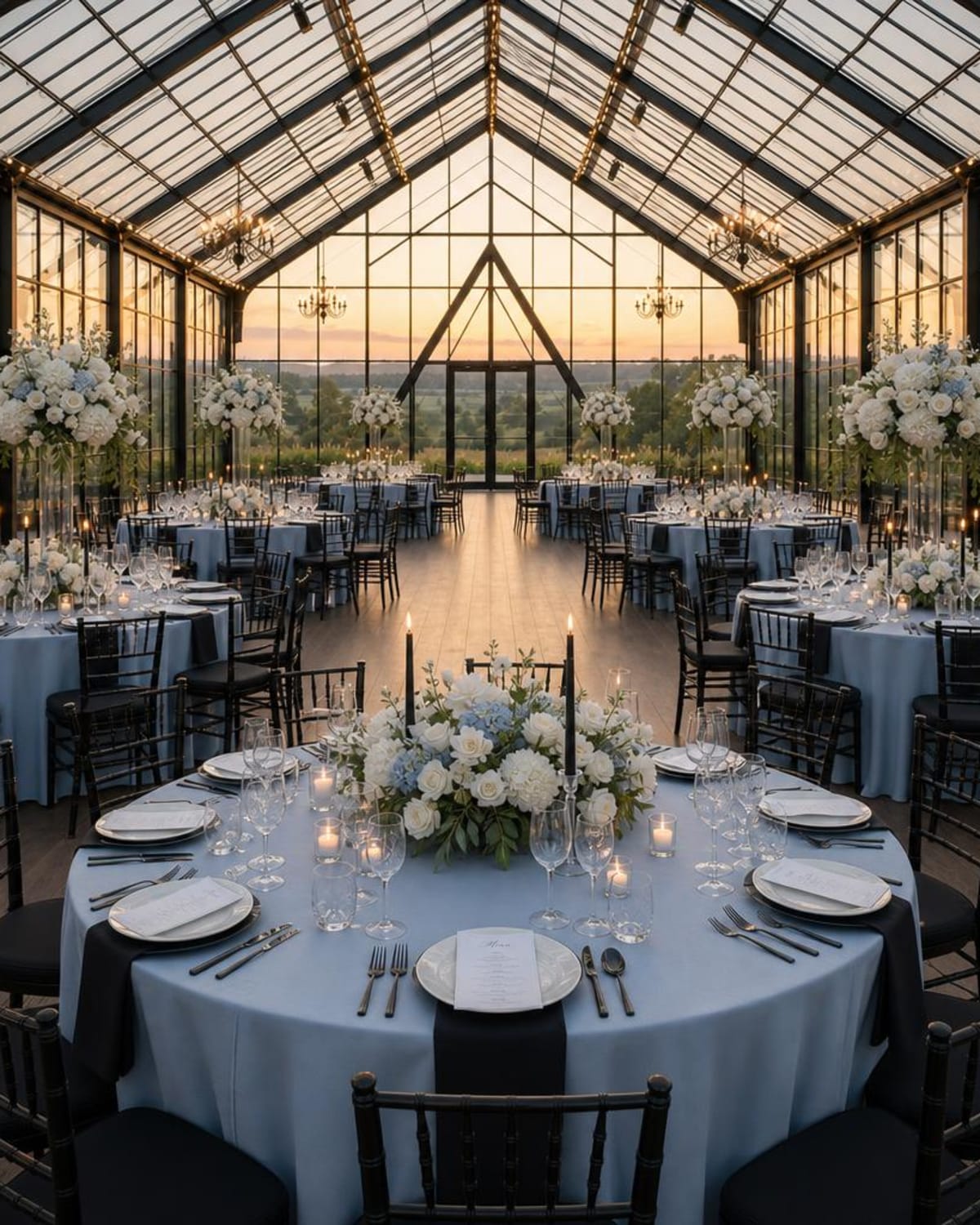
What this helps you decide: whether the overall direction feels right before you refine individual details. Your vendors can then help with real sizes, available pieces and practical placement.
These are existing Studio examples, not controlled tests of a single change. AI-generated images can alter details and proportions. Compare each result with your source photo and confirm the physical design with your vendors.
A simple wedding venue visualizer comparison checklist
If you try more than one tool, use the same venue photograph and a similar design direction. Comparing a dramatic ballroom image with a simple garden image tells you little about how either tool handles your room.
After creating a concept, ask yourself:
- Can I recognize my venue? Check the main architectural features against your original photo.
- Does the decor reflect my direction? Look at the color distribution and the feeling of the flowers or styling.
- Can I make a clearer choice now? Identify one decision the image helped you understand.
- What would I show my florist or decorator? Pick the details you want them to consider.
- What needs checking in the real room? Note anything involving dimensions, availability or installation.
You can also evaluate how easy the process felt. If finding references or writing instructions made you stop before creating anything, that matters when choosing a tool you will enjoy using.
How WeddingDecor.com Design Studio fits
The WeddingDecor.com AI wedding venue visualizer lets you begin with a photo of your ceremony or reception space. Inspiration images are optional. Add them when you have a particular detail in mind, or begin without them.
The style choice is optional too. Explore a direction such as Vintage, Old Money, Romance or Coastal, or try Surprise Me. Bring your colors into the design when you have a palette you want to explore.
You do not need to arrive with a finished vision. Your first concept can help you discover what you like and what you want to try next.
Have a venue photo? Start there.
See how your wedding ideas could look in your own space. Add inspiration if you have it, or explore a style that catches your eye.
Try My First Venue Design FreeOne free venue design after creating an account. No credit card required.
What an AI concept can help you decide
A concept can help you compare the overall effect of your decor and explain your preferences. You might discover that the darker color you loved works better as an accent, or that your venue already has enough character to suit a lighter floral treatment.
Before you book or order, confirm the real setup with your venue and vendors. An AI image cannot verify measurements, flower quantities, product availability or installation requirements. For more help preparing your inputs and using the result, read how to visualize your wedding venue decor.
A few common questions
What is the best AI wedding venue visualizer?
The best fit depends on the decision you want help making. Look for a tool that accepts your venue photo, gives you useful ways to guide the decor and makes it easy to save a concept. Try a first design and judge whether it helps you feel clearer about your wedding choices.
Can I visualize my wedding without inspiration images?
Yes. Inspiration images are optional in WeddingDecor.com Design Studio. You can begin with your venue photo and explore the available design choices. The style selection is optional as well.
Is a wedding mood board the same as a venue visualization?
A mood board helps bring your overall colors and style together. A venue visualization uses a photo of your space to explore how decor could look there. They can work well together, and you can begin with whichever step feels most useful.
Can I try an AI wedding venue visualizer for free?
WeddingDecor.com offers one free venue design after you create an account, with no credit card required. Check the current Studio Pass details when you are ready to explore additional designs.
Will a venue visualizer create my seating plan?
A decor concept may show tables and chairs, but it does not establish a measured floor plan or assign guests to seats. Use the appropriate layout or seating tool and confirm the arrangement with your venue.