Wedding Reception Design Tool: See Your Tables, Flowers and Decor Together
Hi lovely,
You have chosen your reception venue. You have saved photos of flowers, table settings, candles, linens and head tables. You may even have a wedding color palette ready. Yet trying to imagine how all those individual ideas will look together inside one room can feel almost impossible.
This is where many couples become stuck. A centerpiece may look beautiful in a close-up photograph, but how will it feel when repeated across fifteen tables? Will the flowers suit the scale of the room? Will the linens work with the flooring and walls? Will the head table feel connected to the guest tables?
A wedding reception design tool helps you bring those decisions together before the big day. You can begin with a photograph of your actual venue, add the decor that inspires you and create a realistic preview of the complete reception.
First venue design free
See Your Wedding Reception Come to Life
Upload your reception venue, add the decor images that inspire you, choose your colors and see how your tables, flowers and decor could look together.
Design My Reception FreeNo credit card required.
Why Is Reception Decor So Difficult to Visualize?
Reception design involves dozens of connected choices. Tables, chairs, linens, centerpieces, candles, place settings, flowers, lighting and focal points all contribute to the finished room.
Most inspiration photographs show only one part of a wedding. You may save a table setting from a French-inspired celebration, flowers from a garden wedding and a dramatic head table from a hotel ballroom. Each image gives you a useful idea, but none shows how the complete combination will look in your venue.
The room itself also affects the design. Dark flooring can make a color palette feel richer. High ceilings may require taller or more substantial focal points. A narrow table may not have enough space for a full floral runner, candles, chargers, glassware and serving pieces.
What Can You Visualize in a Wedding Reception?
A wedding reception visualizer can help you explore the complete room as well as its individual design elements.
TABLES
Long banquet tables, round guest tables, sweetheart tables and head-table arrangements.
FLOWERS
Low centerpieces, tall arrangements, bud vases, floral runners and statement installations.
PLACE SETTINGS
Chargers, plates, napkins, menus, flatware, glassware and small decorative details.
LINENS
Tablecloths, runners, napkins and head-table fabrics in your chosen colors and textures.
LIGHTING
Taper candles, pillar candles, votives, string lights, uplighting and chandelier effects.
FOCAL POINTS
Sweetheart tables, head tables, backdrops, cake displays, bars and room entrances.
Start With a Photograph of Your Real Reception Space
Your venue photograph provides the foundation for the design. Choose a clear image that shows the room from a useful perspective. A centered photograph is often helpful for designing the complete reception, while a closer image may work better when you want to concentrate on the head table or another focal point.
The best venue photograph will usually show:
- The room’s architecture and ceiling height
- Windows, doors and existing light fixtures
- The flooring and wall colors
- Enough floor space to understand the room
- Any existing tables, chairs or installed decor you want to preserve
An empty or lightly furnished photograph gives you the most flexibility. You can also begin with an existing design when you want to change a specific feature, such as the centerpieces, napkins or head-table backdrop.
Start with your real space
Design Your Own Reception Venue
See how your favorite tables, flowers and decor could look inside the room you have already chosen.
Create My Free Reception Design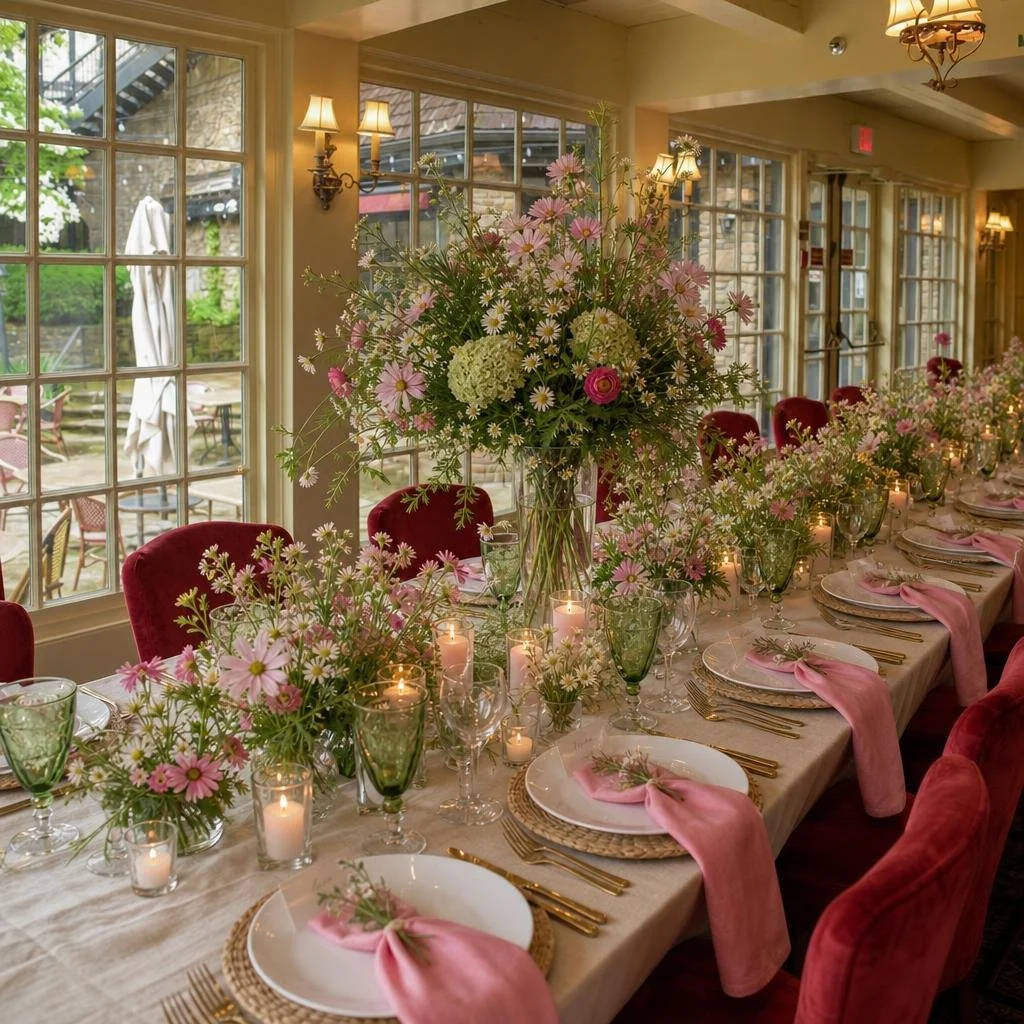
Beautiful wildflower decor for a bridal shower decor at The Old Mill, Toronto Canada - designed with the WeddingDecor.com Design Studio.
Bring Your Inspiration Images Together
Choose inspiration images that clearly show the elements you want to explore. One photograph might guide the flowers, another the place settings and another the head table.
A few well-chosen images usually provide a clearer direction than a large collection. Look for references that share a compatible level of formality, floral style, color story and atmosphere.
If one image features delicate bud vases and another shows a very full floral runner, decide which approach should lead the design. The same applies to candles, linens, chairs and tableware. Clear priorities help the complete reception feel intentional.
Design the Table in Layers
A successful wedding table is built in layers. Each layer should support the others while leaving enough physical and visual space for guests.
Begin with the linen
The tablecloth or exposed table surface creates the background for every other detail.
Add the floral structure
Choose the height, fullness and repetition of your centerpieces or floral runner.
Introduce candlelight
Use taper candles, pillars or votives to create warmth and variation in height.
Build the place setting
Combine chargers, plates, napkins, menus, flatware and glassware in a coordinated way.
Finish with personal details
Add place cards, menus, favors or a small botanical accent where appropriate.
Keep Scale, Sightlines and Table Space in Mind
A wedding tablescape generator can create a beautiful concept, but the design still needs to work for real guests. Centerpieces should suit the width of the table and leave room for place settings, glassware, food service and personal items.
Guest sightlines matter as well. A low arrangement should stay below eye level. A tall centerpiece generally needs enough height beneath the flowers for guests to see through to the other side.
Candles and small vessels can help connect arrangements along a long table without creating one continuous, oversized display. Repetition gives the room consistency, while slight variations keep it feeling natural.
Apply Your Wedding Colors Thoughtfully
Your palette should guide the reception without overwhelming it. One color may lead the flowers, another may appear in the napkins, and a third may be used sparingly through candles or stationery.
Neutral linens, clear glassware, metallic finishes, greenery and the venue’s existing materials can help balance stronger colors. This gives every shade room to be noticed.
You can create and adjust your palette with the free Wedding Color Palette Creator . Save the color names and hex codes so your florist, decorator and stationer can work from the same reference.
Compare Ideas Before You Commit
One of the greatest benefits of an AI wedding reception design tool is the ability to explore more than one direction. You can compare low centerpieces with taller designs, test different linen colors or see whether candlelight creates enough warmth in the room.
Begin by evaluating the overall reception. Once the room feels cohesive, move into the smaller decisions. A revision might focus on the napkin style, place settings, centerpiece size or head-table flowers.
Save the versions you love and compare them side by side. You may discover that your original idea was right, or that one small adjustment makes the complete room feel much more balanced.
Share a Clear Vision With Your Wedding Vendors
Your venue design can become a practical communication tool for your florist, decorator, planner, venue coordinator and rental company.
Share the image before your consultation so your vendors can understand the scale, placement, colors and overall atmosphere you are trying to create. They can then recommend real flowers, rental pieces and installation methods that suit your budget and venue.
The visualization is a creative design concept. Your vendors should confirm dimensions, inventory, quantities, flower availability, electrical requirements, installation methods and venue restrictions.
Frequently Asked Questions
Can I upload a photo of my actual reception venue?
Yes. The WeddingDecor.com Design Studio begins with a photograph of your real venue so you can explore decor ideas inside the space you have chosen.
Can I use my own wedding inspiration images?
Yes. Upload images of the tables, flowers, linens, candles, place settings or focal points you love and use them to guide your venue design.
Can I change one detail after creating a reception design?
You can create revisions to explore changes such as different centerpieces, place settings, flowers, napkins, linens or head-table decor.
Is the venue design an exact event rendering?
It is an AI-generated design concept created to help you visualize possibilities and communicate your ideas. Confirm exact products, measurements and installation details with your venue and wedding vendors.
Can I try the wedding reception design tool free?
Yes. You can create your first wedding venue design free, and no credit card is required to begin.
See it before the big day
Bring Your Complete Reception Vision Together
Upload your venue, add the tables and decor that inspire you, choose your colors and create your first design free.
Visualize My Reception Free